February 10, 2010: Please find the latest version here: MBsetupV2.0.exe
First of all I would like to thank you for your feedback and encouragements after the release of Metadata Browser v1.0 beta!
For those learning about Metadata Browser for the first time, let me say that this is an application that enables any user to navigate through a project, retrieve and export components, dependents and recurring dependents, and search by object ID.
You can download Metadata Browser v1.1 here:
MBSetupV1.1.exe
New features
- Documentation Tool (requested)
Ever wanted to get a detailed list of the objects created or modified for a specific demand? Look no further!
Simply select the folder where those objects or their shortcuts* are and click on the “Documentation” button. You will get an exportable list that shows all kind of useful information about your objects (i.e. alias, format and formula for Metrics, mandatory flag for Filters and Prompts, and many others).
- Object Type Count (requested)
This function shows the count for each object type in the selected folder.
* Creating folders with shortcuts for each demand or release is a good practice. It also saves you a lot of time when copying those objects to other projects via Object Manager.
Fixed issues
- The windows can be resized (requested). In the beta versions they had a fixed size.
- All object types should be recognized now and an appropriate icon should be displayed. I’ll come back with an article on how to do this via VBA in SDK.
- The buttons were replaced by a slick looking toolbar (requested).
- A manual is now available.
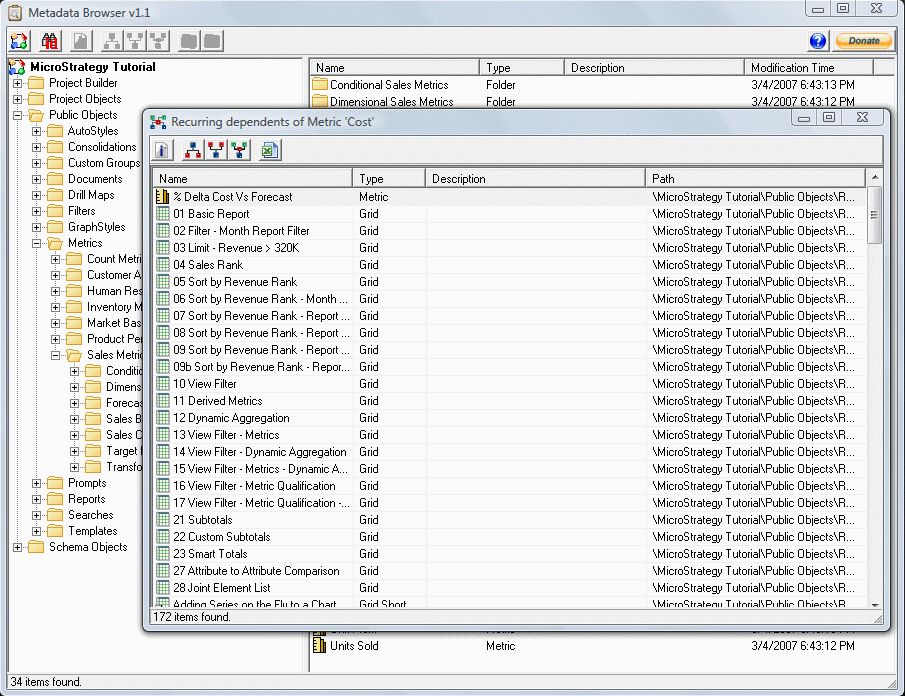
Metadata Browser v1.1
About donations
Surprisingly enough, I got more messages encouraging me to monetize this tool than I got new requirements.
Since money is not why I started working on Metadata Browser, I resist the suggestions of attaching a price tag to it. Nevertheless, if you so feel inclined to make a donation then you now have this opportunity.
This is a read only application. Using it will cause no changes to your Metadata.
I wanted to thank you for writing and of course providing for free this very useful little application.
I’m sure that every experienced and serious developer will stumble across the minor or major annoyances in the MicroStrategy suite or wish for this or that missing feature you just don’t want to live without.
I especially love the object search function which proves invaluable when resolving access problems to personal objects which can occur when users share their reports without keeping access control in mind.
Please continue your work on Metadata Browser and share it with the community!
Is there a way we can use LDAP auth to connect to server using this tool ?
We have enterprise wide LDAP auth and cant use standard ID to login, any help will be appreciated.
That’s a good idea. I will add it in the next version, probably within less than a month.